Enabling subframes
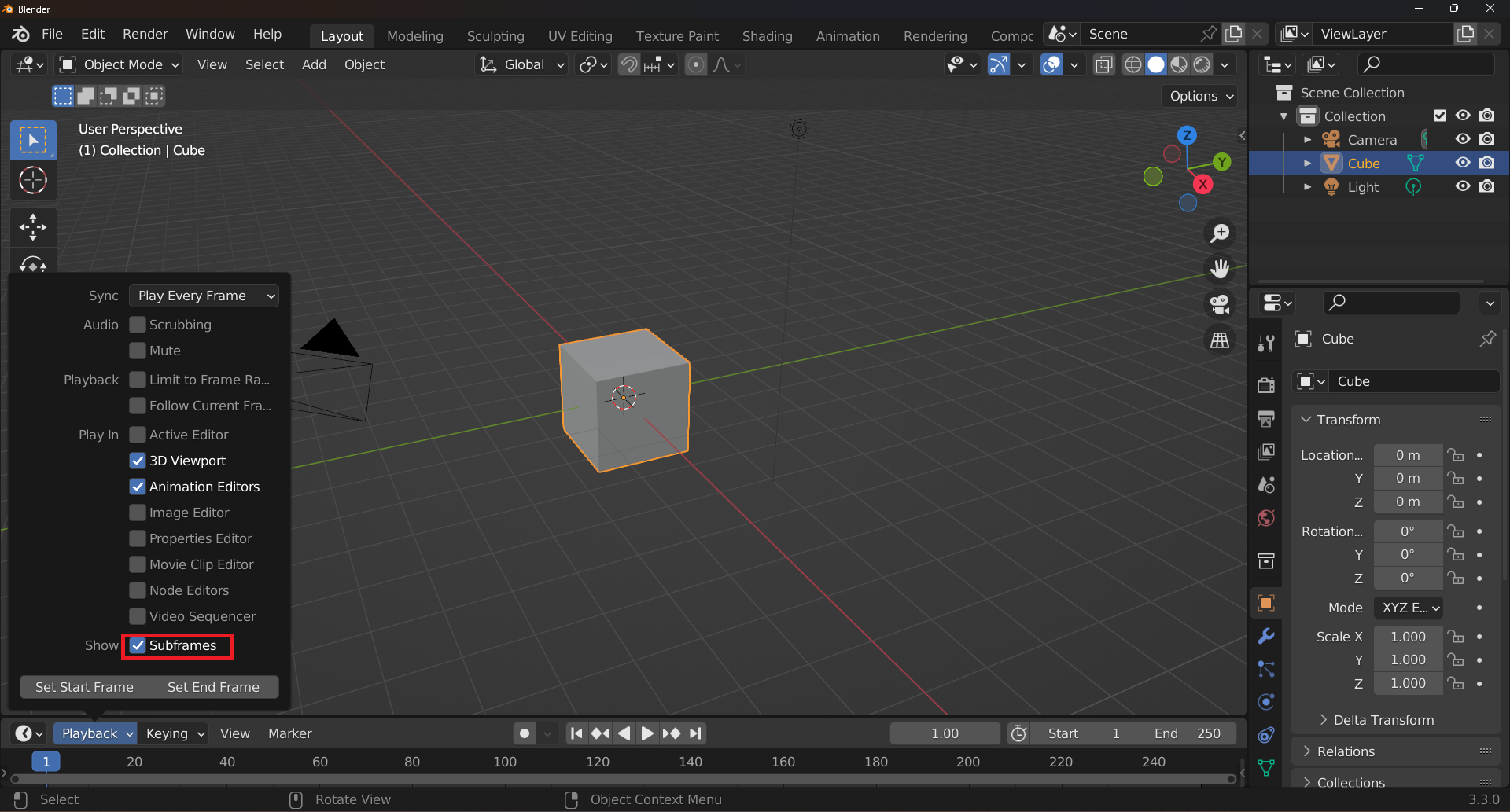
Starting from Mcblend version 10.1.0, you can use subframes in your animations. Subframes are a type of keyframe that is set on a timeline between two frames. To view subframes in Blender, enable the Subframes option in the Timeline panel in the Playback section.
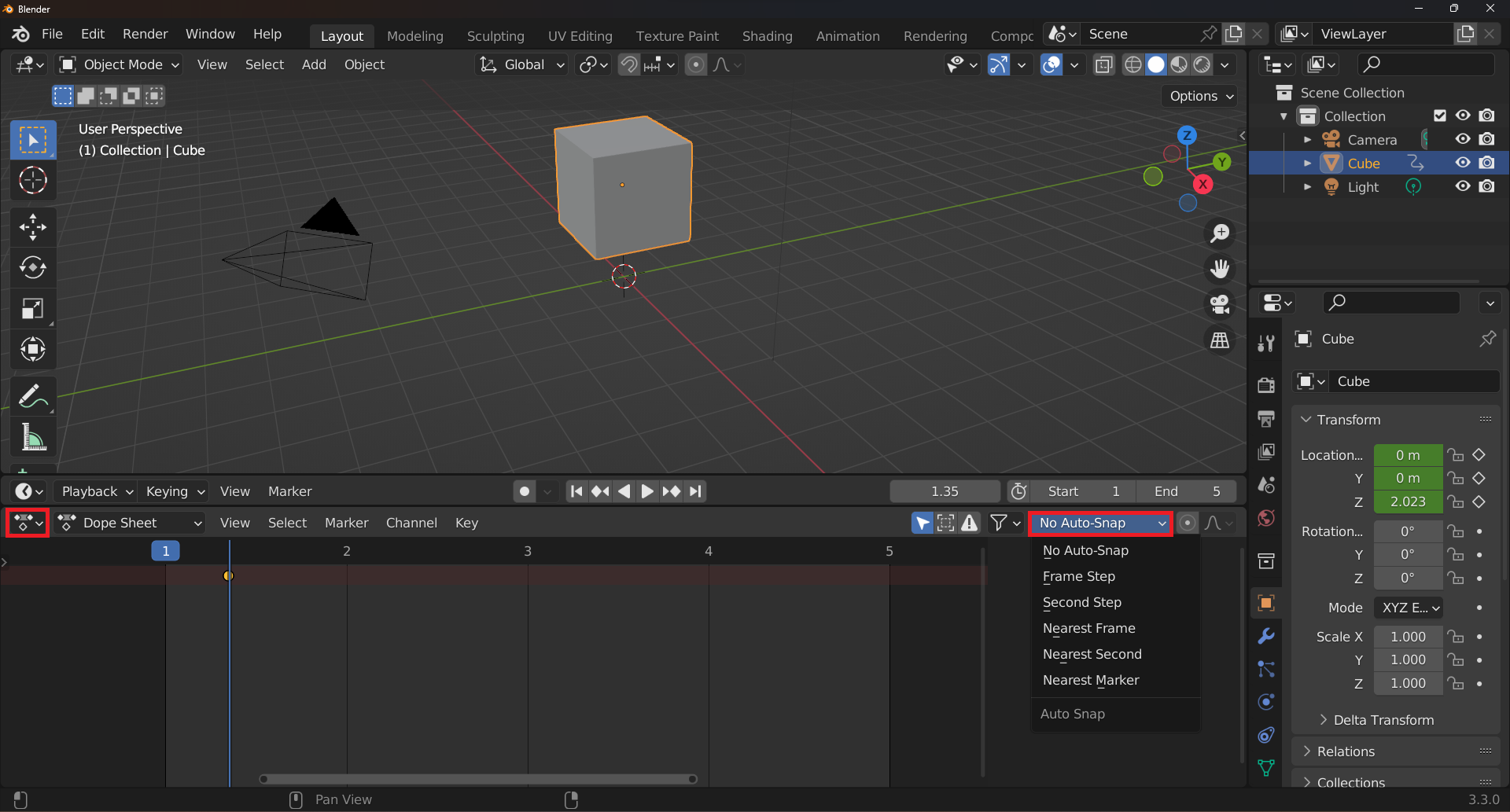
However, even if you enable subframes, the I shortcut will only add keyframes on whole frames. To add subframes, first add a keyframe and then use the Dope Sheet to move it to the desired position on the timeline. Before moving the keyframe, select the No auto snap option in the Dope Sheet panel.