Importing models from resource packs
Importing models from resource packs is a quick and easy way to bring Minecraft models into Mcblend. It allows you to automatically set up the texture and render controllers for you using the information from the resource pack.
To import a model from a resource pack:
Open the sidebar in the 3D viewport by pressing
N.In the Mcblend tab, press the
Load Resource Packbutton. You can load as many resource packs as you want, and if multiple packs define the same thing (such as a texture, model, or render controller), the definition of the most recently loaded pack will be used. It’s like having multiple packs in a Minecraft world.Select the entity or attachable you want to import from the dropdown list. Mcblend will be able to figure out which render controller, texture, and model should be used.
All of the render controllers used by the entity will be listed. Each render controller will have lists for geometry, texture, and material (there can be multiple material lists per render controller if it defines multiple materials for different bones). In most cases, the dropdown lists will have only one option to select from, but more complex render controllers may require user input. If a render controller is not found, you will see a warning that says “Render controller not found! Using data from client entity.” This is not a mistake, as some hard-coded render controllers are used in Minecraft. In this case, Mcblend will assume that the render controller you selected uses one material, one texture, and one model, and it will allow you to choose from every material/texture/model defined in the entity/attachable definition.
After selecting the entity and its render controller configuration, press the
Import from projectbutton. This will load all of the models, textures, and render controllers of the entity/attachable based on the provided configuration.
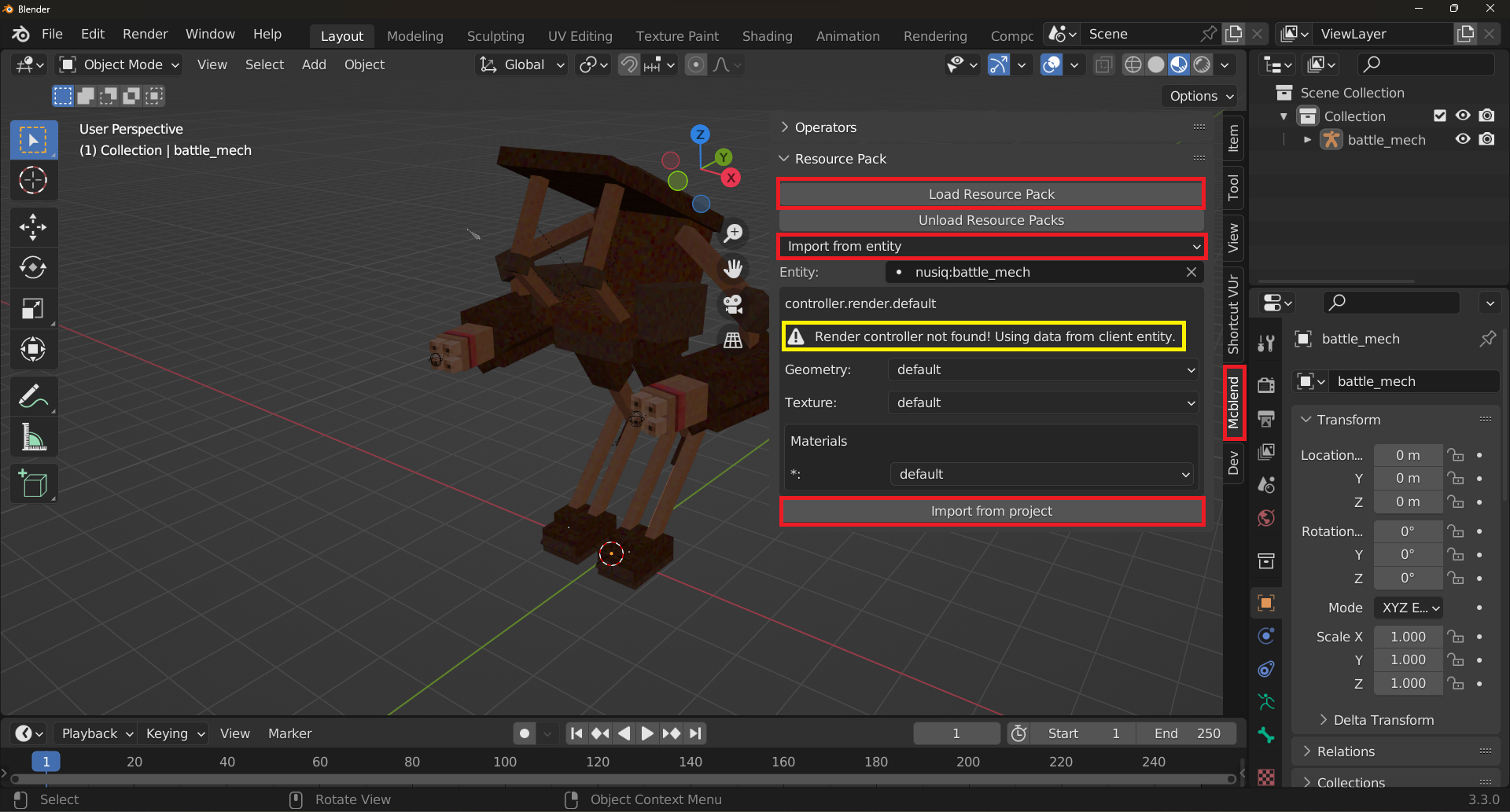
This may seem complicated, but in most cases you just need to select an entity and press the Import from project button, as usually there is no advanced configuration of the render controller. However, Mcblend does support advanced entities that have multiple render controllers with complex configuration.