Scene properties
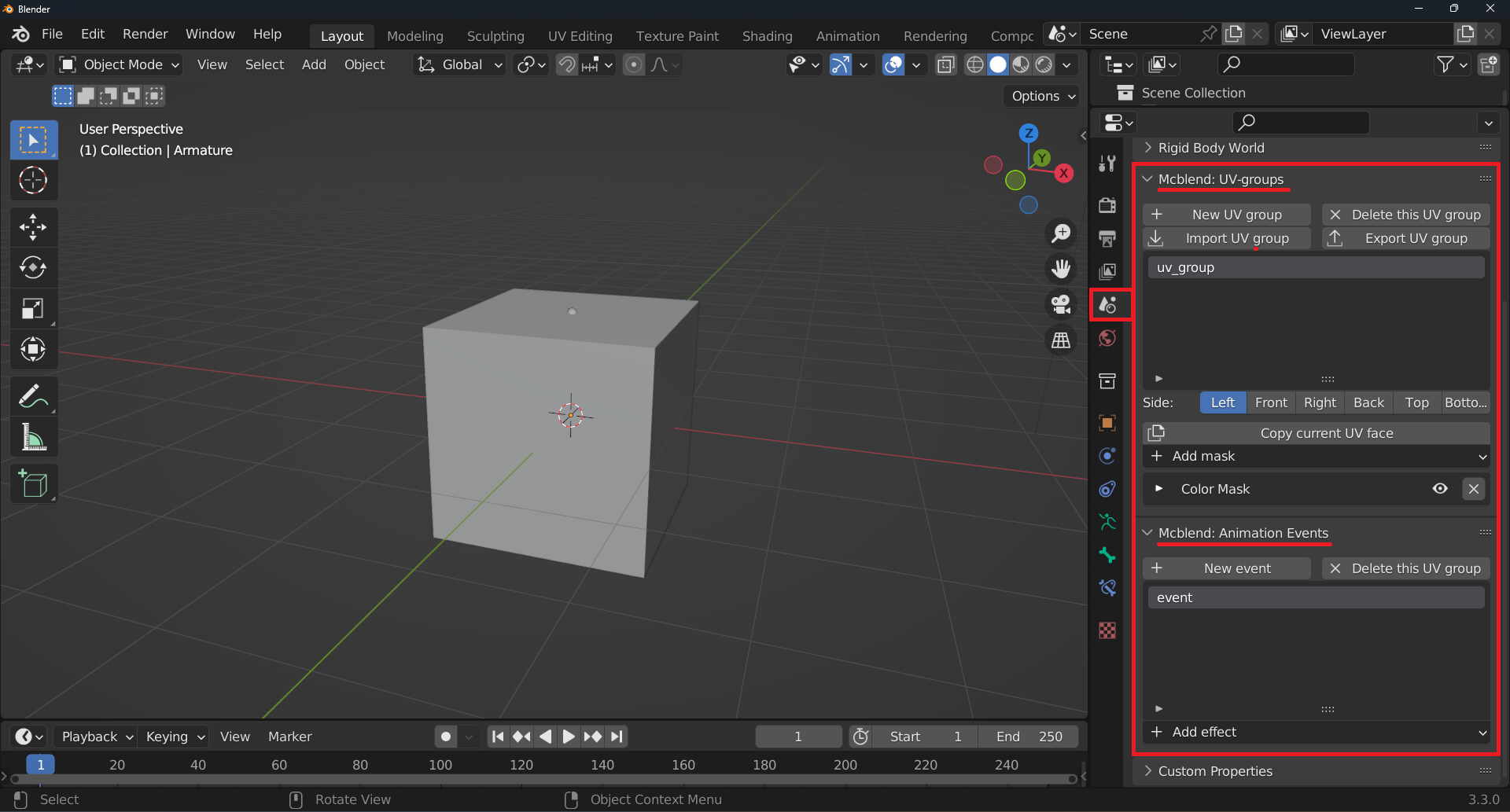
The Scene properties tab has two new panels:
Mcblend: groups

This panel is used for managing the UV groups.
The
New UV groupbutton creates a new UV group.The
Delete this UV groupbutton deletes the selected UV group.The
Import UV groupbutton imports a UV group from a file.The
Export UV groupbutton exports the selected UV group to a file.The
Sideradio button select the side of the UV group to edit.The
Copy current UV facebutton opens a menu for copying the UV face to the other sides.The
Add maskbutton adds a mask to the selected UV group. The UV masks are described in different sections of this documentation.
Mcblend: Animation Events
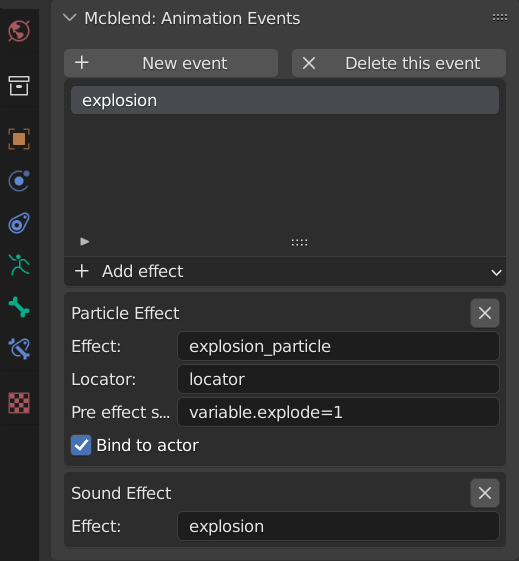
This panel is used for managing sound and particle effects animations.
The
New eventbutton creates a new event.The
Delete this eventbutton deletes the selected event.The
Add effectbutton adds a sound or particle effect to the selected event.
The sound and particle effects have can have additional parameters, all of them are directly related to the settings that you can find in Minecraft animations.