Installation and updating
Installation
Download and install Blender 4.2 (the current LTS version) from the official website: https://www.blender.org/download/releases/4-2/
Download the latest version of Mcblend from the project page on GitHub: https://github.com/Nusiq/mcblend/releases.
Note
If a pre-release version is available, it may include additional features and bug fixes. The pre-release versions are stable but not yet fully documented. The user interface may also differ from the version described in the documentation.
In Blender, go to
Edit -> Preferences -> Add-ons -> Install...and select the downloaded zip file.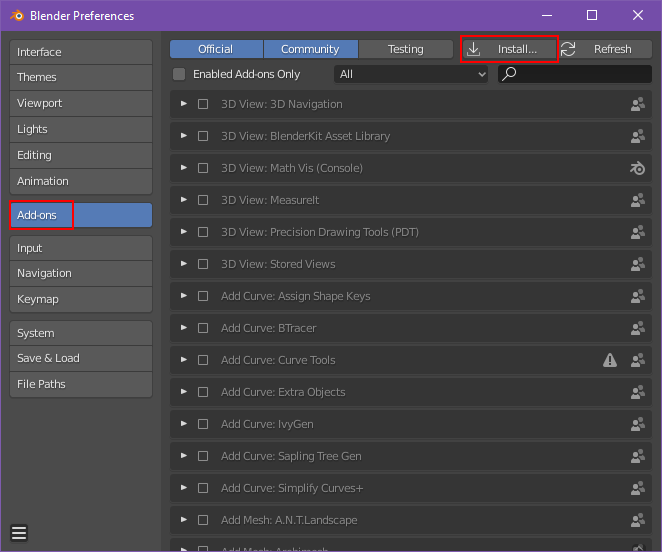
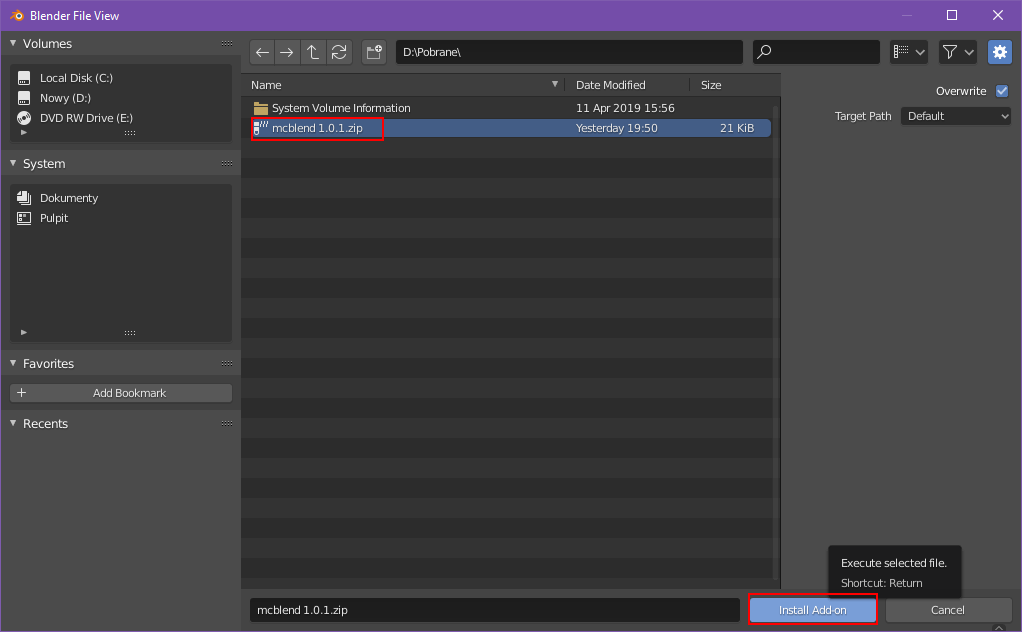
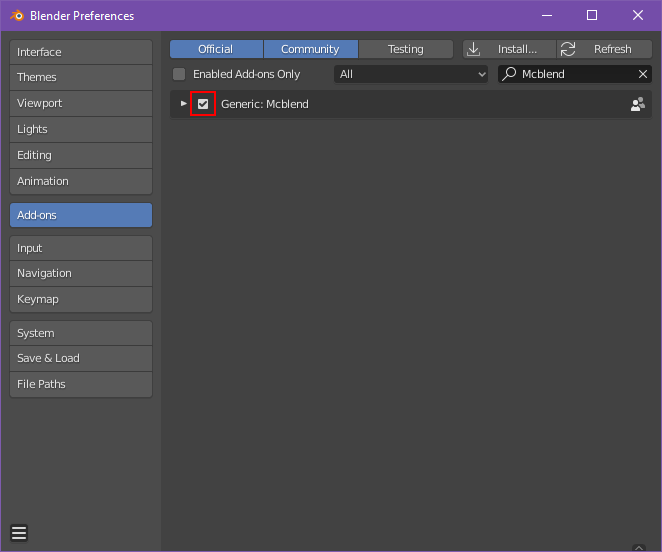
Enable the add-on by searching for “Mcblend” in Add-ons and selecting the checkbox.
Updating
To update Mcblend, you must uninstall the old version and then install the new one. There is currently no system in place for updating the add-on directly within Blender.