Cubes vs Polymeshes
Minecraft models can be made up of cube-based parts and/or polymesh parts. This section explains the differences betweeen them and how to use them in Mcblend.
Polymeshes
Polymeshes are meshes with any shape, made up of vertices, faces, and normals. They are closer to regular non-Minecraft modeling and are an experimental feature in Minecraft. While Mcblend supports polymeshes, they may not be supported by all modeling tools for Minecraft. This means that if you try to open a model in such a tool it won’t be visible. However, you can still open the model in Minecraft to see if it works correctly.
If you try to export a non-cuboid shape as a cube, Mcblend will print a warning and skip the object from exporting.
Cubes
Cubes are simply cubes and cuboids, and are the default format for Minecraft models. In Mcblend, you can use the built-in automatic UV mapping feature for cubes, but it will ignore polymeshes (however, Blender has many other features for UV mapping regular meshes).
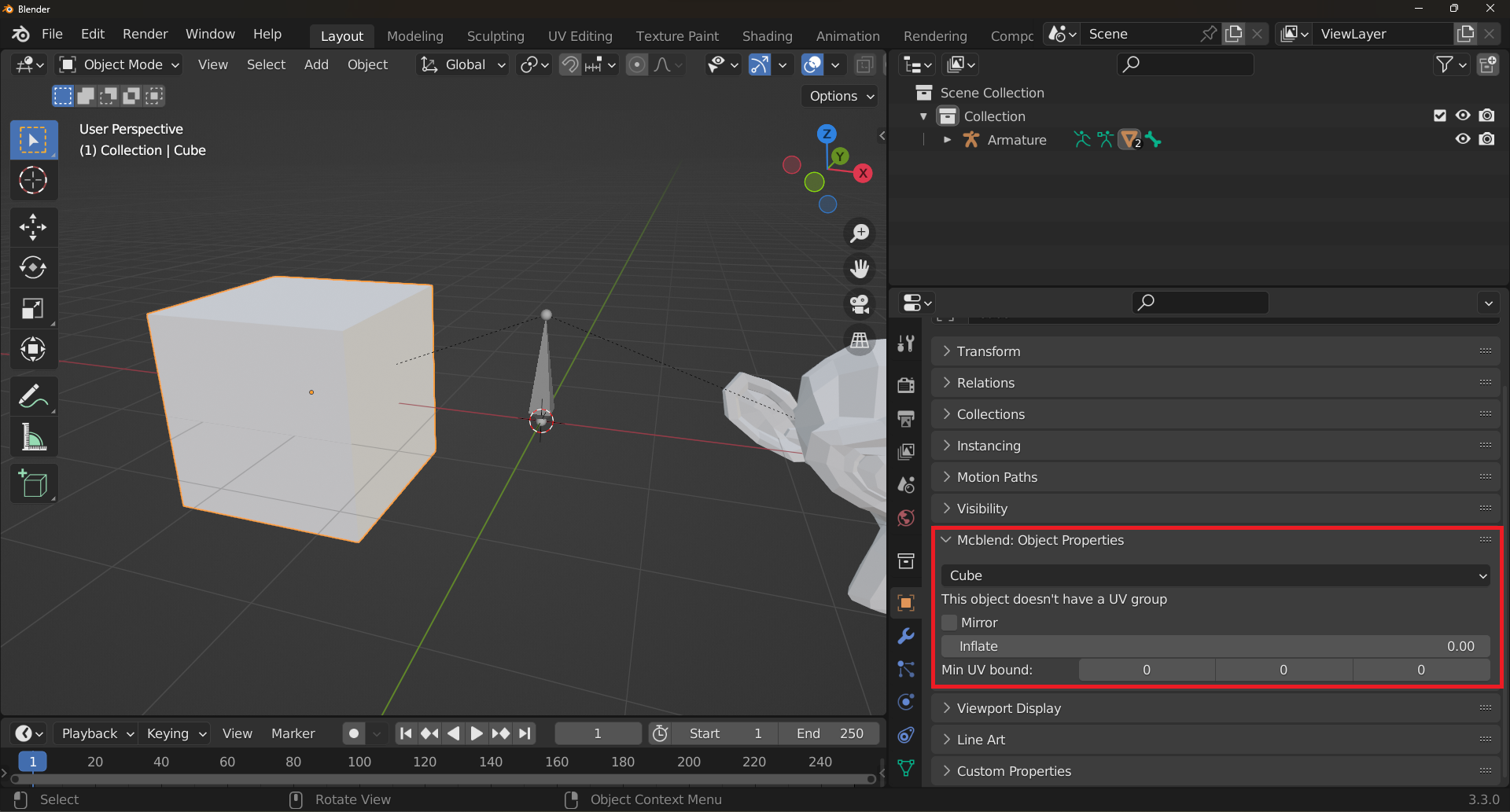
Cubes have additional settings available in their configuration. These settings are: Mirror, Inflate, and Min UV bound. They are explained in detail in different sections of the documentation, where they are more relevant. They all affect the process of automatic UV mapping. The Mirror and Inflate properties are also directly related to cube-based format, so when you export a model, they will be exported as well.
Setting the type of an object
In Mcblend, you can choose which type of parts an object should be treated as by selecting it and using the dropdown list in the Mcblend: Object Properties tab in the Object Properties panel. By default, every object is treated as a cube.
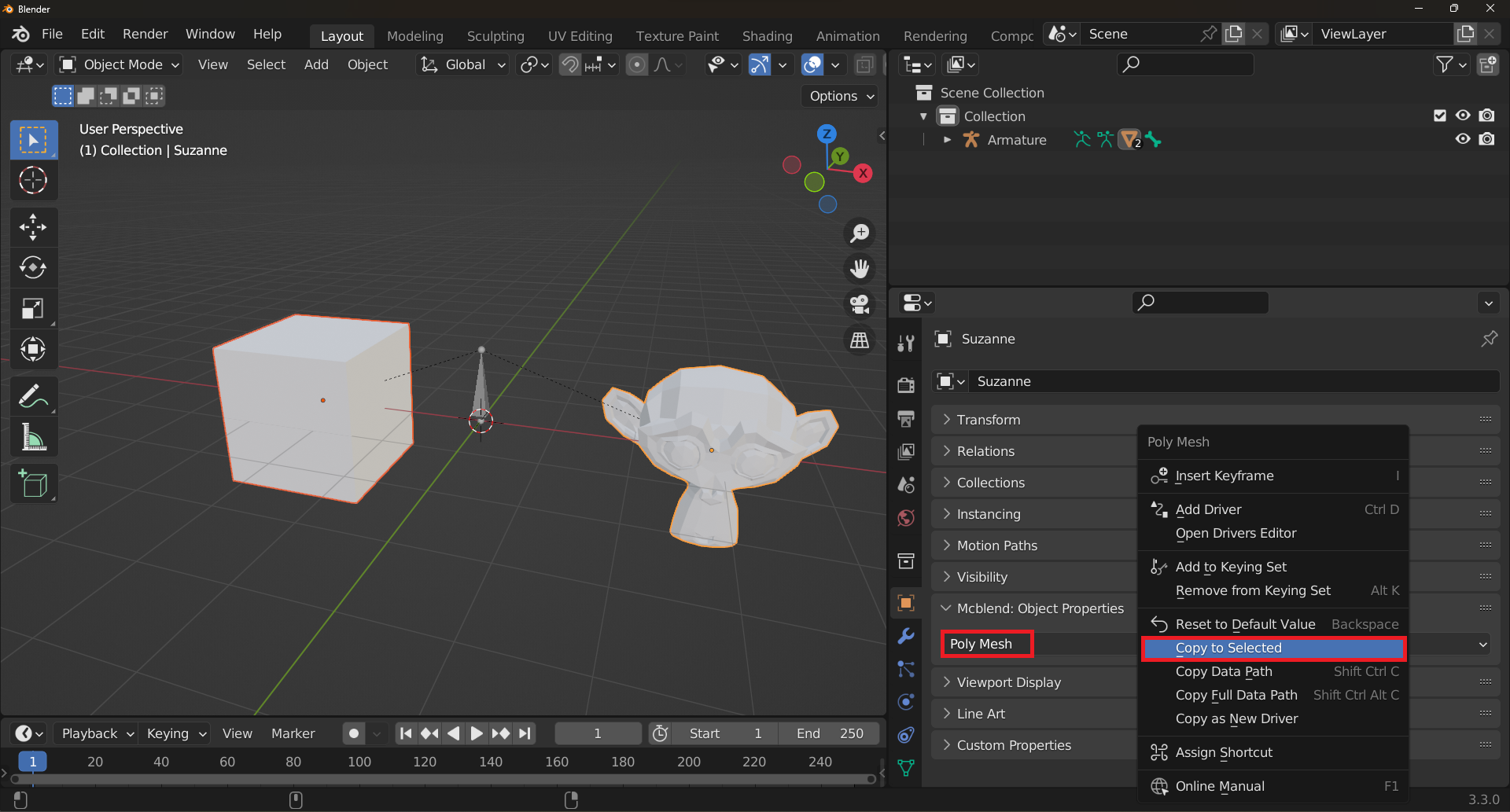
Selecting the same option for multiple objects might be tedious. Luckily there is a solution to that - to quickly set the same property for multiple objects, select the objects and right-click on the property, then select the Copy to Selected option. This is useful when you wnat to set everything to Poly Mesh.