The Inflate Property
The inflate property is a property of cubes in Minecraft models. It’s similar to scaling, but not exactly. The inflate property changes the size of the cube by adding or removing the same value to each dimension of the cube. For example, if you have a cube of size 3x4x5 and inflate it by 1, the size of the cube will be 4x5x6. Note that this is not the same as scaling the cube - different sides are affected differently in proportion to their size.
Note
One unit of size in Minecraft models is equal to 1/16 of a block size (1/16 of a meter). If the model is for a resource pack that uses the standard Minecraft texture resolution, then one unit of size is equal to 1 pixel on the texture.
You can change the dimensions of the cube to imitate the inflate property and as long as you don’t change the UV mapping, the difference will be unrecognizable.
There are two types of cube UV mapping in Minecraft: the default UV mapping and the per-face UV mapping. The per-face UV mapping defines the UV map for each face of the cube separately. The default UV mapping is based on the dimensions of the cube. This format is probably the reson why the inflate property was added to the game. The default UV mapping is not affected by the inflate value. It only uses the base size of the cube. The inflate property is useful in Minecraft because it allows you to use the default UV mapping for two different cubes that have the same apparent size, but with different inflate values they’ll still have a different surface on the texture.
Changing the Inflate Value Directly
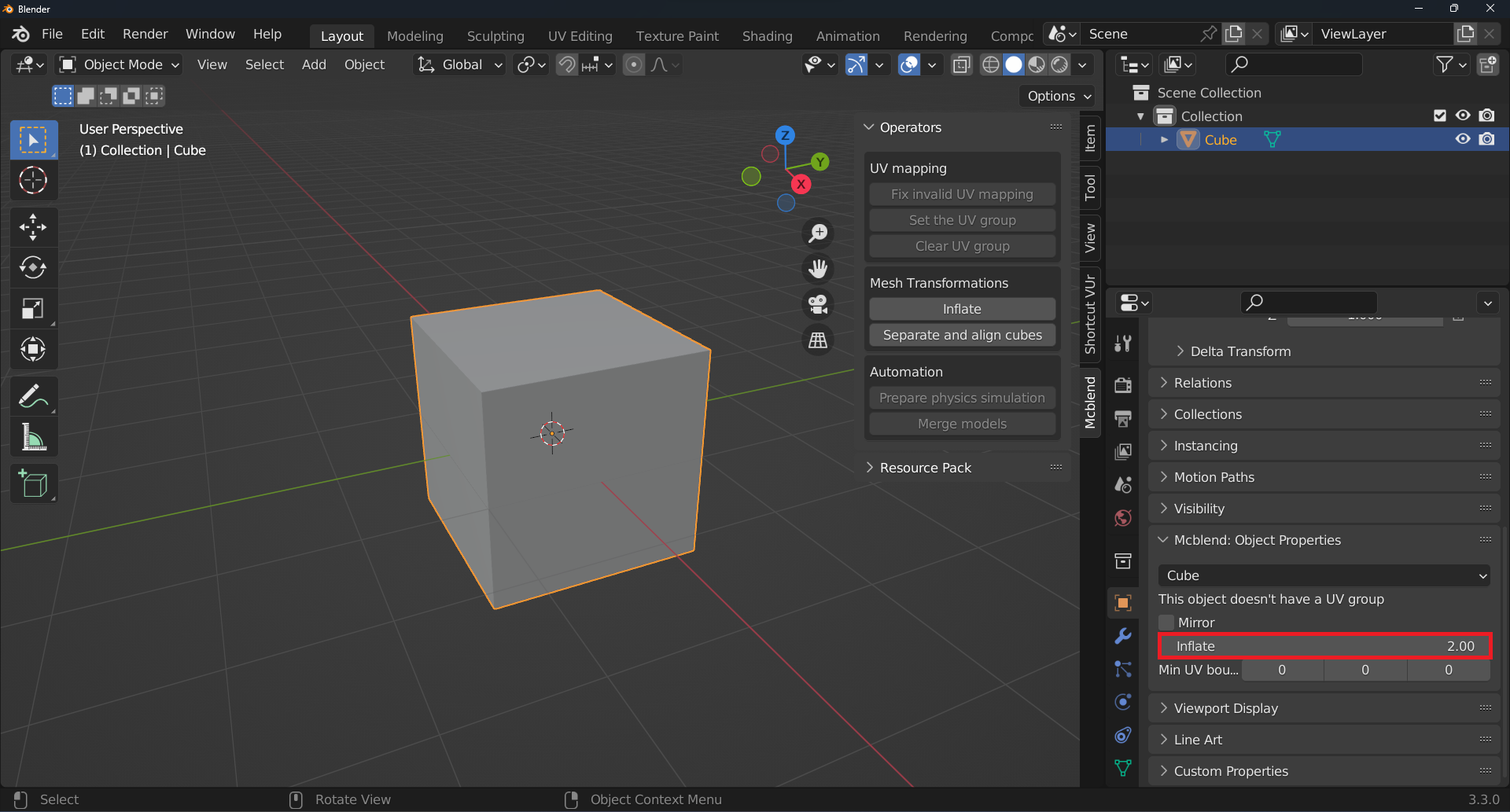
In Mcblend, you can set the inflate property of a cube directly in its properties. This is useful for creating new models or changing the inflate value of a single object without actually changing its size. In order to access the Inflate property directly, select the cube and go to the Mcblend: Cube Properties tab in Object Properties.
Changing the Inflate Value Using an Operator
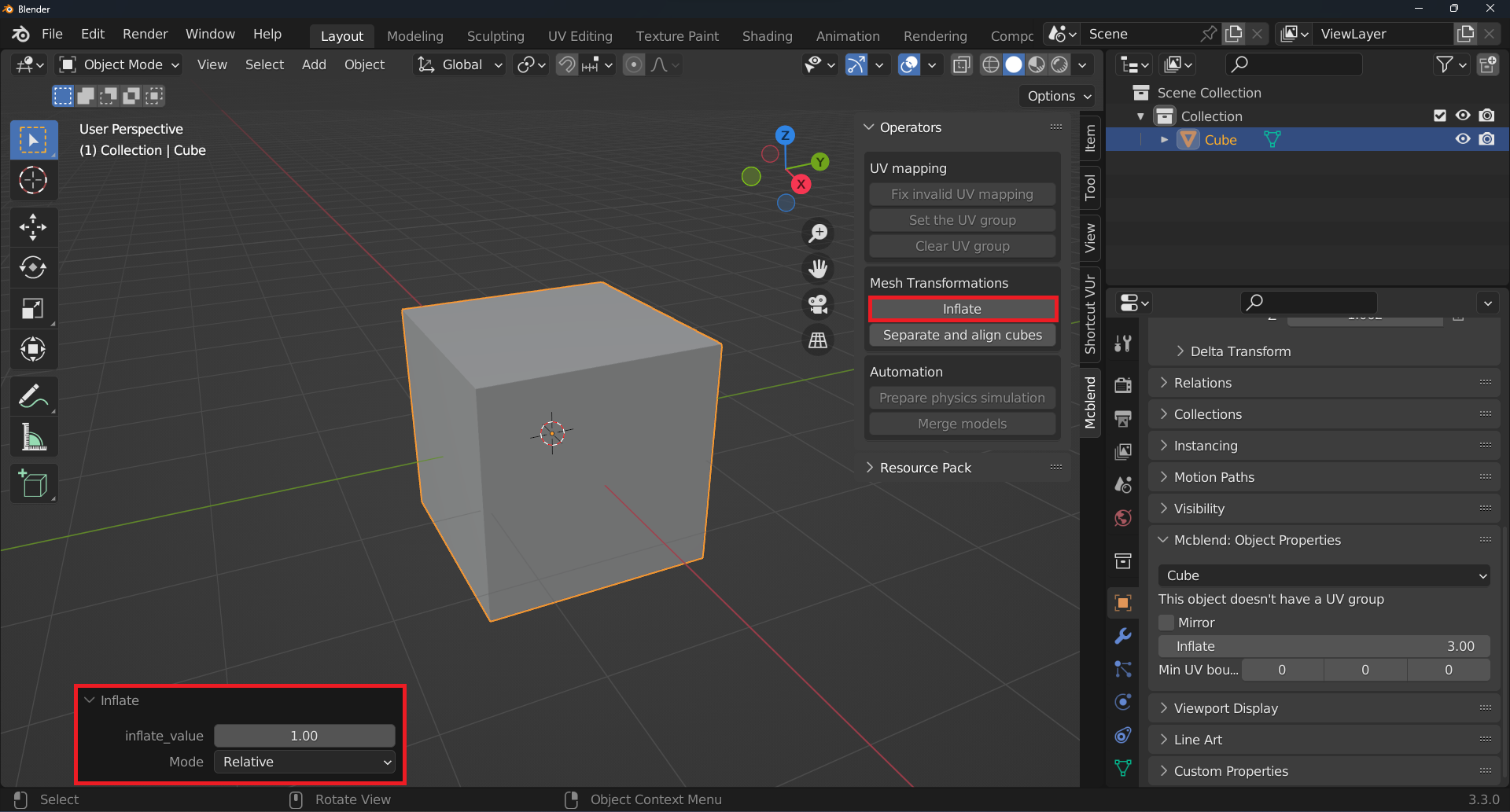
The Inflate operator allows you to change the inflate value of an object and adjust its size accordingly the 3D viewport at the same time. To use the operator, select the object(s) you want to modify and click the Inflate button on the mcblend sidebar in the 3D viewport under the Operators panel.
The Inflate operator has two modes: Relative and Absolute. In Relative mode, the inflate value is changed relative to the object’s current inflate value. In Absolute mode, the inflate value is set directly to the specified value. You can use the operator to modify multiple objects at once.
The Inflate Property in Modeling with Mcblend
In Mcblend, the inflate property is not as important as in other Minecraft modeling tools. This is because Mcblend automatically selects between per-face and default UV mapping based on the size of the cube and its surface on the texture. If the size and surface meet the criteria for default UV mapping, Mcblend will use it. Otherwise, it will use per-face UV mapping.
The inflate property is only relevant when using the automatic UV mapping feature in Mcblend. This feature arranges the UV maps of the cubes on the texture in a way that prevents overlap and allows for export using the default UV mapping. More information about the automatic UV mapping feature can be found in other sections of the documentation.