Exporting models
This section explains how to export Minecraft models and mentions some additional settings that can be configured before exporting.
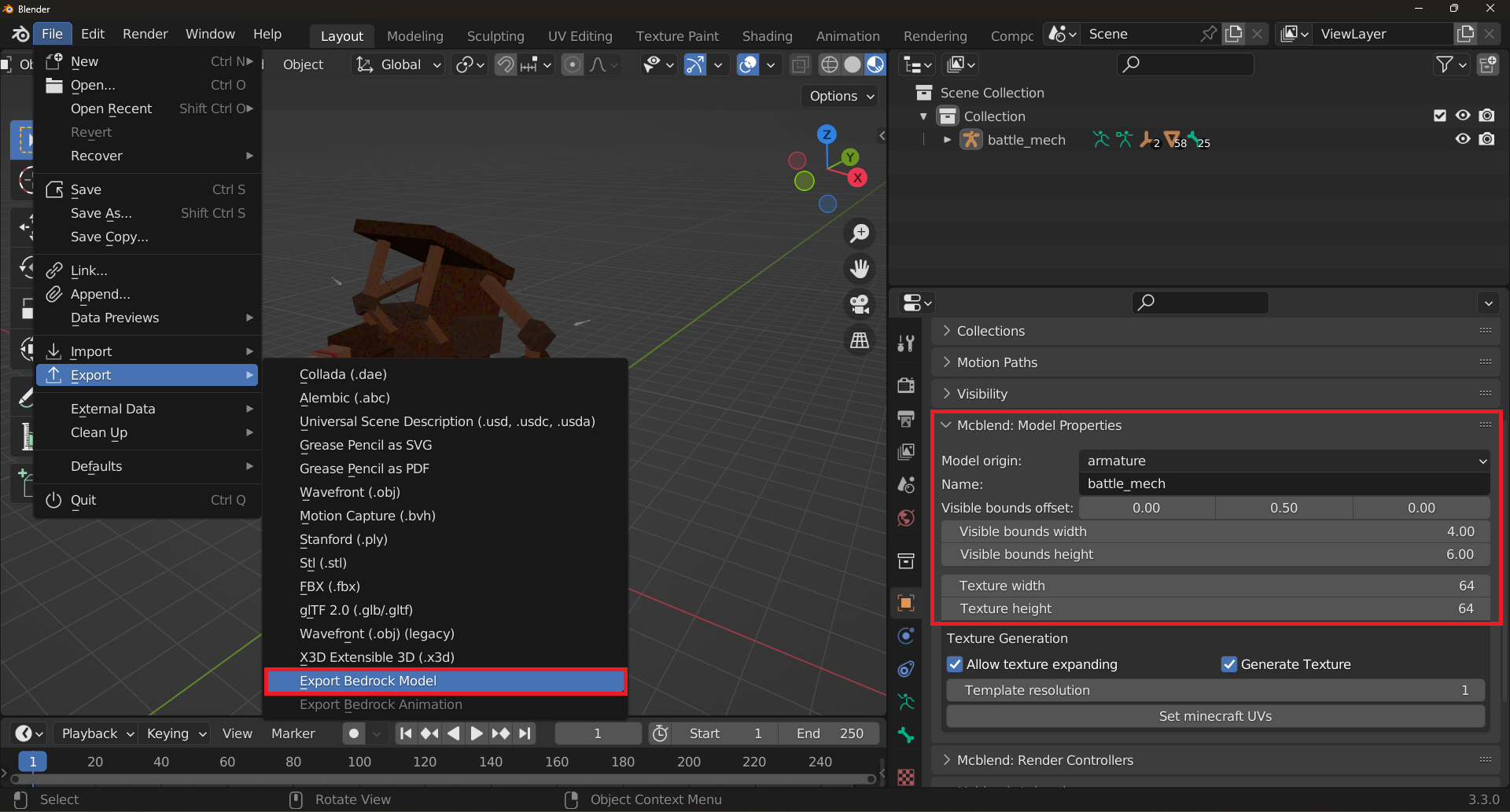
There are a few settings in the Object Properties panel in the Mcblend: Model Properties tab that can be configured before exporting the model. This tab is only visible when an armature is selected.
Model origin- This setting can be set to eitherarmatureorworld. The default value isarmature, which means that the positions of the bones are based on the local space of the armature. If you selectworld, the positions will be based on the world space.
The other settings in the Mcblend: Model Properties tab are directly exported to the Minecraft model:
Name- The name of the model. In Minecraft, models are named using the pattern geometry., but you don’t have to put geometry. in this field as it’s always the same and never changes (it’s added automatically). Visible bounds offset- This value is directly moved to thevisible_bounds_offsetproperty of the model.Visible bounds width- This value is directly moved to thevisible_bounds_widthproperty of the model.Visible bounds height- This value is directly moved to thevisible_bounds_heightproperty of the model.
Exporting the model is the same process as explained in the “Creating models from scratch” documen. Simply go to File > Export > Export Bedrock Model and select the export path.